Introduction
It is almost possible to say that any user with a computer will have the need for a reloading system. For most users, it is not difficult to install the system on a system disk, and it is difficult to find how the system can be installed without light or without a computer. That's right. That's a flash drive. The installation of the operating system through the disk is a very simple and practical way of teaching you how to install the system with the disk。
Before putting the windows system on a disk, something needs to be prepared:
1. A computer (this is bullshit # #, but the computer must have a usb plugin)
2. One undamaged disk (not less than 4g recommended, of course, it is ok to insert a card reader with a memory card from the mobile phone as a flash drive)
3. Mirror image of operating system (general suffix name. Iso, downloaded and stored on computer hard drive, not on disk
4. Inserting a flash drive into the usb interface of the computer (desktop preferably in the back of the case)
Step 1: create a start-up disk
The first thing you need to do with the flash drive is to create a start-up disk with windowspe that can start the computer:
Https://softs/35771. HTML
Just download the connection up there
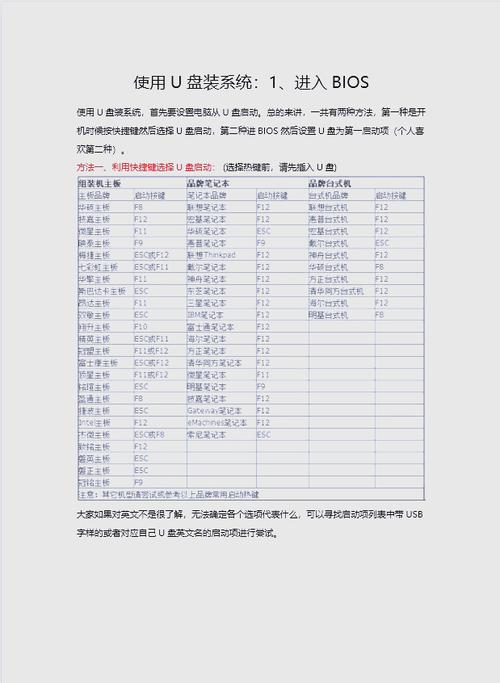
Step 2: using the system of installed disks that have been made
With a flash drive in hand, the following is much simpler and the basic use of the optical disk system does not differ significantly。
There are different settings for the different versions of the computer, but they are all very different, with the aim of turning the first start item of the computer into a flash drive。
When you turn it on, use the hint text on the screen for the bios, for example, the most common phoenix-award bios option
Select usb-hdd or usb zip, depending on how you write it
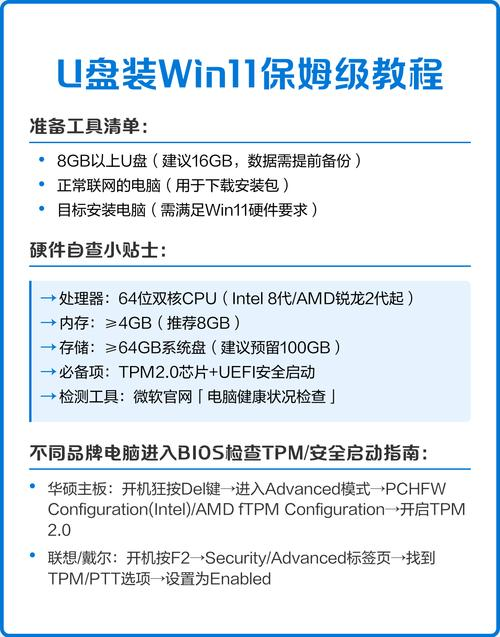
So here we're choosing the hdd+ mode
After setting the first start, insert the completed disk into the computer and restart it。
The installation of windows started after the computer was activated, no difference from the installation of the cd-rom, and the installation steps were not repeated。
Tools/materials u-disk startup, https://softs/35771. HTML
The system can also be installed under the pep microsystem of the flash drive