Long before the trend of excess cpu performance became clear, hard drive rates had been the biggest bottleneck for system access, not to mention the fact that one high frequency i3 can be single today? However, even if the storage industry is fully in the solid state era and is physically limited by the sata. 3. 0 interface, if it does not transition to the next generation interface, transmission of the hard drive through 600mb/s will be difficult and will result in the m. 2 interface based on the pci-e bus。
M. 2 solid-state hard drives are small and thin, and are inserted directly into the main panel slot, and the installation process is much more convenient than the 2. 5-inch ssd and does not take up the machine tank hard-disk slots, which is the exclusive domain of a system built in nature. Then why isn't m. 2 up to 2. 5 inches of heel? Two reasons: the driver and the operating system。
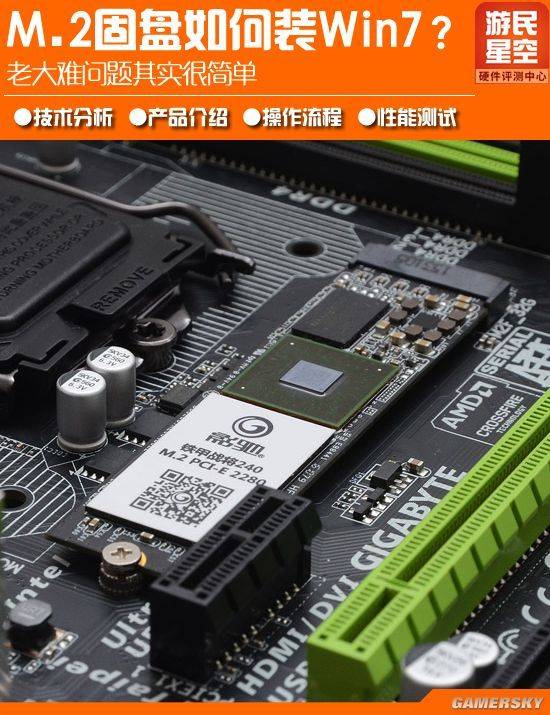
The m. 2 solid disk based on the pci-e channel is controlled by the nvme protocol and requires the installation of a nvme driver to be identified. Only win10 is currently free of nvme, and both win7 and win8 must be equipped with a driver to identify them. This alone has kept many white users out of the door, and the web is full of rumours that “win7 cannot use m. 2” and that it is m. 2 that win7 must start from uefi。
In fact, this has nothing to do with uefi, and win 7 cannot be installed because at the stage of the interface selection of the system disk, m. 2 cannot be identified without a load drive (this disk is not visible). Although sooner or later we have to switch to win10 or an updated operating system, win10 is not perfect at this stage, many games and software applications still have compatibility problems and win7 will remain a mainstream operating system for a long time。
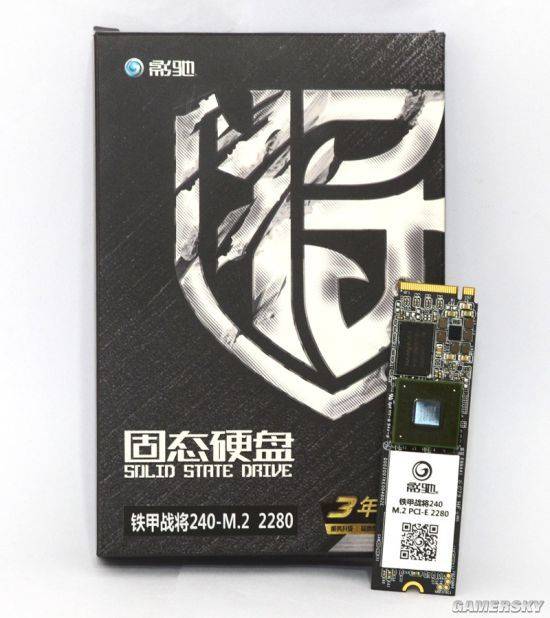
M. 2 solid disks, capacity 240gb
This paper, by means of the latest m. 2 solid disk from this evaluation, gives a lot of players a detailed overview of the correct process of installation of win7 in m. 2, which says, “no hard people, no hard people, no hard people”, and then you find everything so simple。
Thank you for providing this test product, armored general m. 2 solid disk, with a full series of 120 gb, 240 gb, 480 gb and 960 gb in four volume versions to allow users flexibility on demand. The same is true of m. 2, which has traditionally been priced by the population, and will inevitably promote the widespread application of the interface。
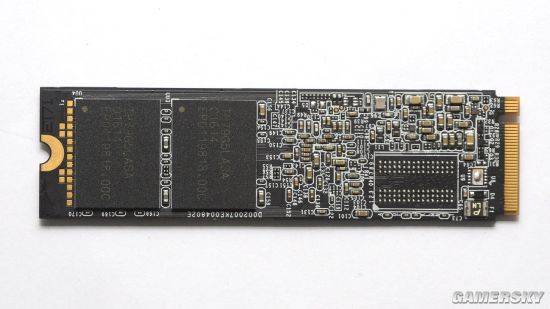
The m. 2 solid plate price, the power of 240 gb in the hands of the author
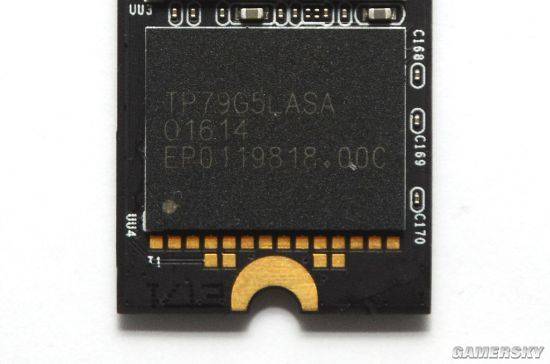
Flash particles
The flash memory uses the original plant's high-speed mlc particles, with a writing life of around 10,000 times and a better balance of costs and lifetimes, is the preferred material for the mainstream consumer-grade solid disk。
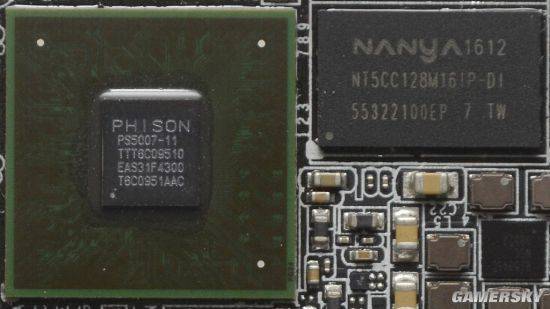
Master chip and cache particles
The bright spot of this product is the introduction of the strongest grouping ps5007-11 master chip with a high-speed cache of 128mb in south asia, which produces excellent 4k random reading and writing performance。
To install the win7 operating system on the m. 2 solid-state disk, the first step we have to take is to get the nvme driver that supports it, with two methods。
Usually, this type of product does not provide a driver-driven cd-rom. The first method is to access the product network, and if there is no alternative: find another ssat hard drive with a system to mount m. 2 from the disk, although it's not possible to recognize it without a drive under win 7, which can be driven by elves or auto-search drivers。
As a result, the second method used was to find the driver that applied to the m. 2 solid disk。
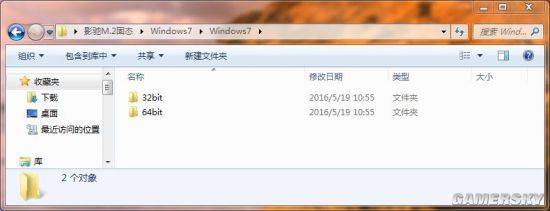
Win7 32bit and 64bit drive, either
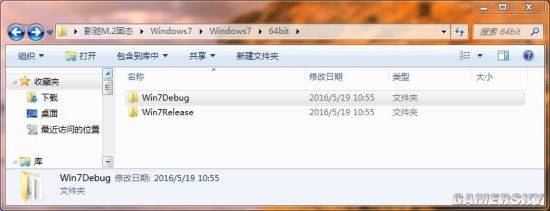
Two drivers folders
Win7 debug and win7 relese are driving with the same file name. There are two reasons why it is not clear, one seems to be the error driver, the other is the ordinary driver, and at least one is the right one anyway。
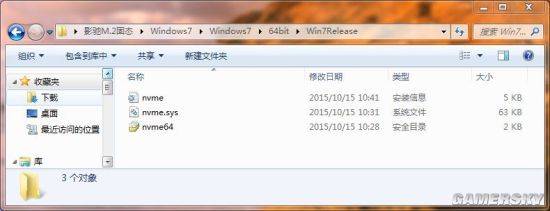
Driver profile in folder
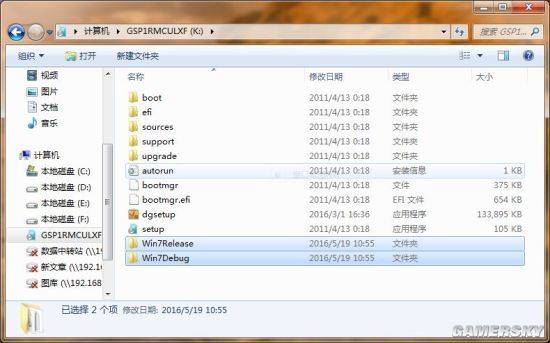
You can put these two drive folders on the win7 installation disk
The most critical driver is already in hand, and then just put it where it should be, either on a hard drive from an sata port or directly in a drive installed in win7, which can be identified and selected in the loading driver interface。
N. B. If win7 (e. G. Z170, b150 master plate) is installed on the 100 series chip group, it will be necessary to integrate the usb3. 0 drive win7 disk. The way in which the disk is made is not covered in this paper, and there is already a detailed method available on the internet and those who do not understand are available for consultation。
In addition, not all brand m. 2 disks have an applicable nvme drive, and it would be difficult to find a driver, and non-senior computers would be difficult to handle, so you need to know more before buying m. 2。
Following the installation of the m. 2 solid-state disk on the main plate, the installation of the win7 disk was inserted and the installation of the operating system started。
This m. 2 is a long one. It needs to be fixed at the far end of the screw
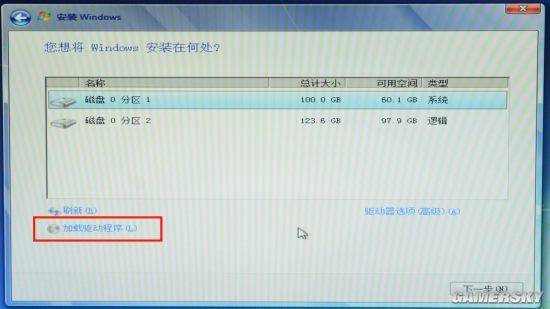
Win7 installed hard disk selection noodles
The steps for the installation of the win7 installation are familiar to everyone, saving the red tape ahead to the most critical parts. It's too normal not to see the m. 2 at first. How can you see pci-e without a drive? (the two subdivisions in the above figure are a small, separate sata hard drive)。
Click to add it to the driver, as in the red box。
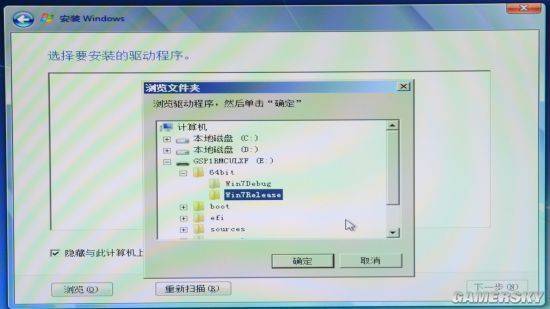
Browse to the win7 installed disk that was just placed in the nvme driver, or to other hard drives
Select the driver to install the drive and then you can see this video drive in the disk interface. That's it。
To mention here, there are those who do not like the use of the win7 side segment function (the same is true of the mini-coding) and who can put m. 2 on a disk, using partition tools such as diskgenius。
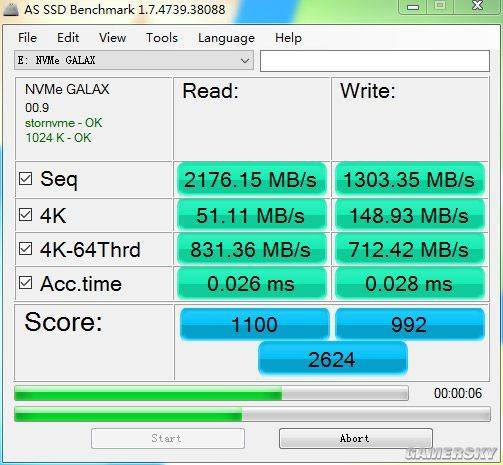
Shadow-racing iron armour, m. 2 240g performance test
The as ssd test results, which ended with the m. 2 solid disk, were indeed quite impressive, and it was tested from the disk state, and it was always felt that it was more accurate, perhaps just an illusion, from the disk state than when it was used as a system disk。