How does win10 restore the system? If computers have been in use for a long time, the system will produce a lot of cache files, which could lead us to use very much in carden. Some users would like to re-install their computer systems in such a situation. So how do we do the system back? Look at the following ways to share。
Method i: the method of bringing back the plant with one key
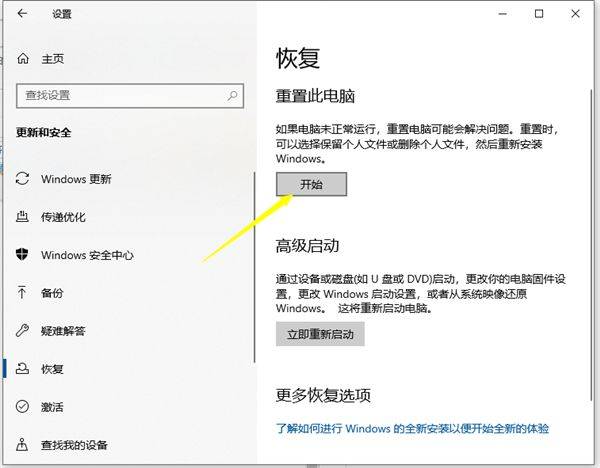
1, while pressing the shortcut win+i to open the settings interface, then click update and security。

2. Recover this computer by clicking on the right in the left column, and click on the start button to enter the process of restoring the plant settings, and select the relevant operation as indicated。
Method ii: win10 to restore back-up system (this method requires backup to the system before using method i)
How's the backup system
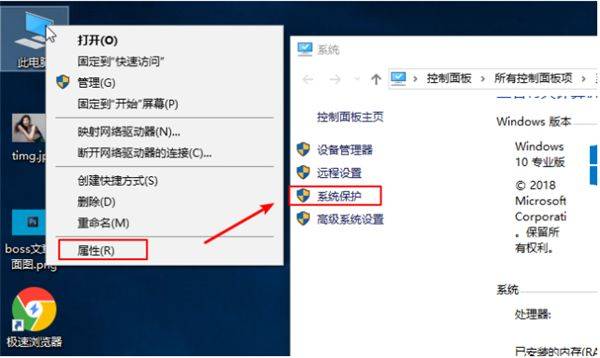
1. Right click on " this computer" and then click on the attribute, in the system window that pops up, and then click on " system protection"。
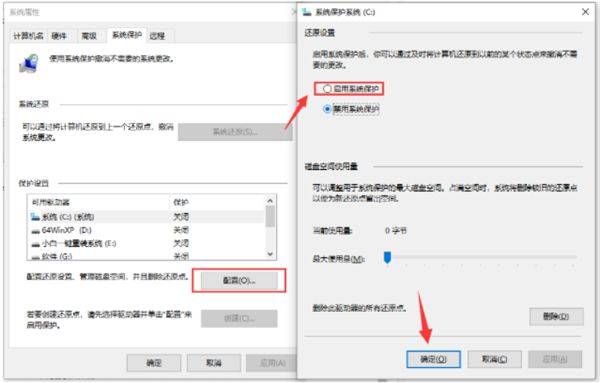
In the system properties interface that appears, click configure, then enable system protection, and then click ok。
3 and then click " create " , enter a return point description and click " create " 。
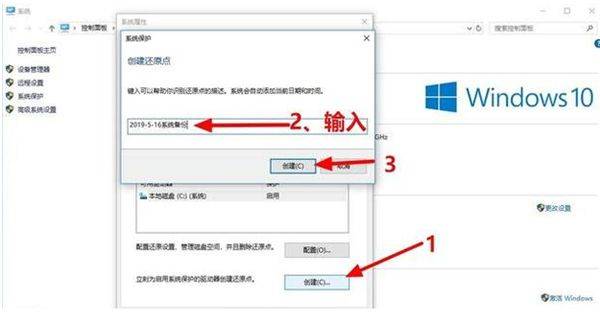
Four, and then a little while later, will see that the creation of the restoration has succeeded。
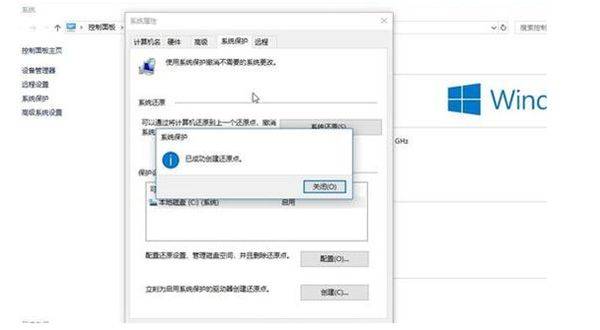
When the system is then restored, as with the backup steps above, the previous system is recovered and then click back。
Method three: master stone's first-key reloading system
First, download the master stone machine. After downloading, turn off all the poison-killing software, and then turn on the software, the software will alert, read it carefully and click on the access tool。

Upon entering the interface, the user may choose to install a windows 10-64 professional version of the system. Note: grey buttons represent that the installation of the system is not supported by the current hardware or partition format。
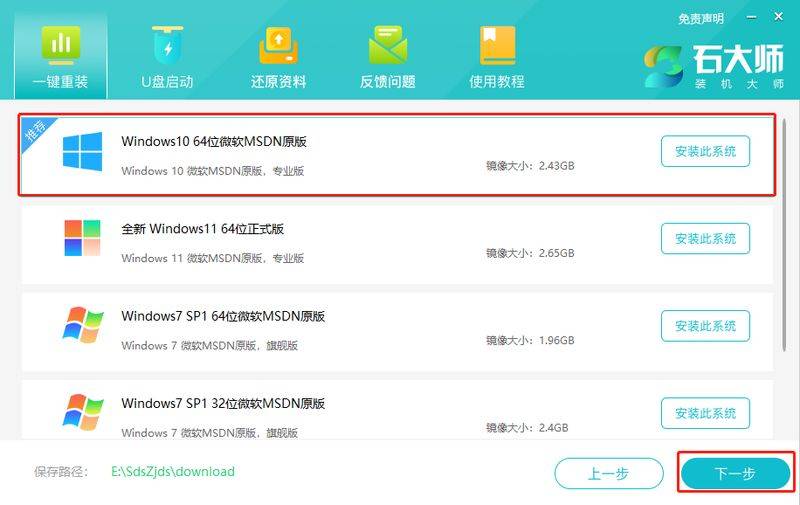
3. After selecting a system, click on the next step, pending download of the pe data and systems。
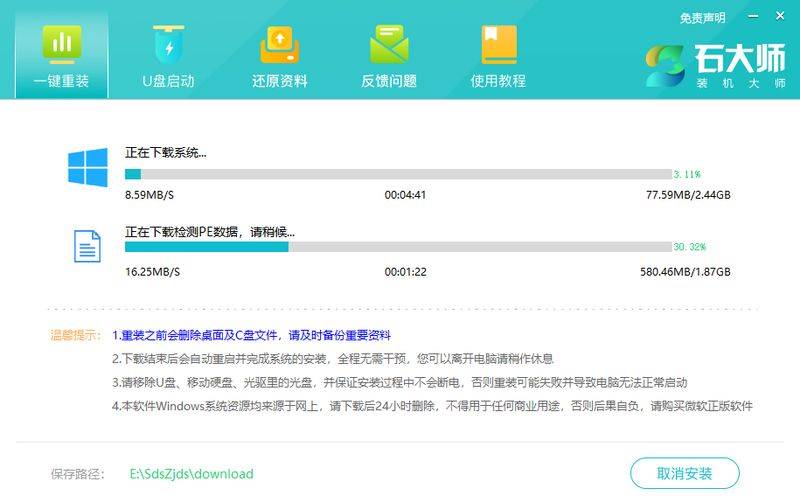
4 upon completion of download, the system is automatically restarted。

5. The system automatically restarts access to the installation interface。

6 on completion of installation into the deployment interface, the quiet-waiting system will be fully operational on the desktop

This is the system home editor's approach to "initiation of the win10 computer system" for you. I hope it will solve your problems. Thank you for reading。