In the creo software, the construction of a base plane with a specific inclination is one of the functions frequently used in modelling. Skilled mastery of the operation helps to improve modelling accuracy and design freedom, especially when dealing with non-conform structures or complex assembly relationships. The system is described below as a concrete step towards creating a tilted baseline plane。
First, start creo and enter the parts or assembly modelling module. Next, locate the baseboard tab in the functional area and click on the base plane command button; you can also move the creation interface through the top menu bar in turn。
Click on the command to pop up the base plane definition dialogue box. This dialogue box provides tectonic logic and highlights the construction method based on the reference plane + rotation angle。
Step 1: select an existing plane (e. G. Front, top, right or custom plane) from the model as the primary reference. The plane will be used as the basis for initial alignment of the new baseline。
Step 2: in the " offset reference " area, specify the direction of the rotation axis. The axis around which to rotate can be clearly defined by taking the edges of the model, the baseline axis, the vertex or the grasspad。
Step 3: switch to the rotation setup area and enter the angle of the target. Note: the positive value is to rotate in the right hand's fixed direction (reverse clockwise), while the negative value is inverse (clockwise). The real-time preview window will simultaneously update the tilted space posture to allow for visual judgement of whether it meets expectations。
When the angle is confirmed with the rotation axis, click ok, which is the system that generates the tilted base plane。
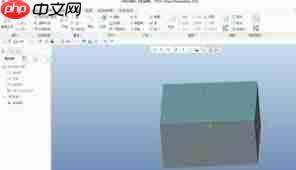
In addition, creo supports other forms of tectonic tilting of the baseline, such as binding on the position by a two-way straight line, adding one layer in one direction or defining the plane by three points. In practical application, the most appropriate construction strategy should be chosen flexibly, taking into account the availability of current geometric features and design intent。
In particular, reference plane selection must be clearly geometrically relevant, avoiding the use of temporary or unstable references, and angle values should be accurately entered on the basis of project drawings or analytical needs to prevent subsequent signature modelling errors caused by minor deviations。
In summary, while the construction of tilted base plane in creo is simple, it has a strong geometric logic behind it. Rational use of different configurations and combinations of parameters can efficiently support advanced tasks such as difficult curve modelling, motion simulation baseline setting and multibody assembly positioning. Continued strengthening of this base capacity will significantly enhance overall modelling quality and synergy。