Monitor failures and solutions
Monitor failures and solutions
Temporary blackscreen
Symptom 1: my computer is near black screen, and i have recently installed some new software。
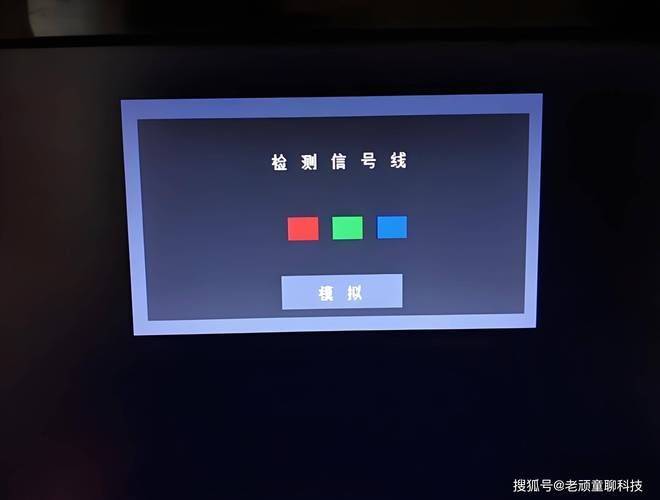
Method: check screen protection, energy saving, viruses, overfrequency, conflict and hardware heat instability。
Step: if screen protection and energy efficiency settings are normal, the way to remove screen save is to click the iconless part of win 9x desktop by right mouse button ( select the properties, screen saver for the popup menu, click the arrow under the screen saver, select the (none) option, and when you are sure you can undo the screen save. Energy-saving settings can also darken the screen by prohibiting the use of the del key to enter setup on the main board, choosing " power management setup " and " power management " , and setting it to disabled. Whether the nearest software contains a virus. Please use the new antivirus software to detect poisoning. If cpus are overused, a typical fault is the black screen. Restor the frequency according to the main plate jumper or the soft jumper set in setup。
Note whether your main panel is incompatible with some display card chips. The main panel of the via main chip group is in conflict with the i740 display card. Please replace another display card test. A black screen may also be used when the memory, display card, or chip on the main plate is unstable, which can only be tested using substitution。
Note: the black screen, like the dead machine, is an extremely complex computer failure。
In the near future, monitors are often black several times when word is used to write. With the voice of the relay, black, bright. So many times. In some cases, there is a sudden indication of the mag xj530 monitor itself: some resolution settings and warnings that need to be adjusted。
Method: modify the display type。
Step: click right on the part on the desktop without an icon to select " properties " , " settings " , " advanced " monitor " , " change " , and then move to the 15-inch " mag innovision dx 15f " monitor by hint。
Note: this is an error in the monitor driver selection. You must have chosen mag computroNic (usa) inc”. And your model is very close to the mag dj 530 model. And your monitor should have very small innovision under the bottom left mark of mag。
Telephone: 400-651-5788 022-586987
Fax: 022-58697869
Website: http://www. Tjdnwx. Com