Smart tv doesn't allow third-party software? One simple step directly release the restriction
Open
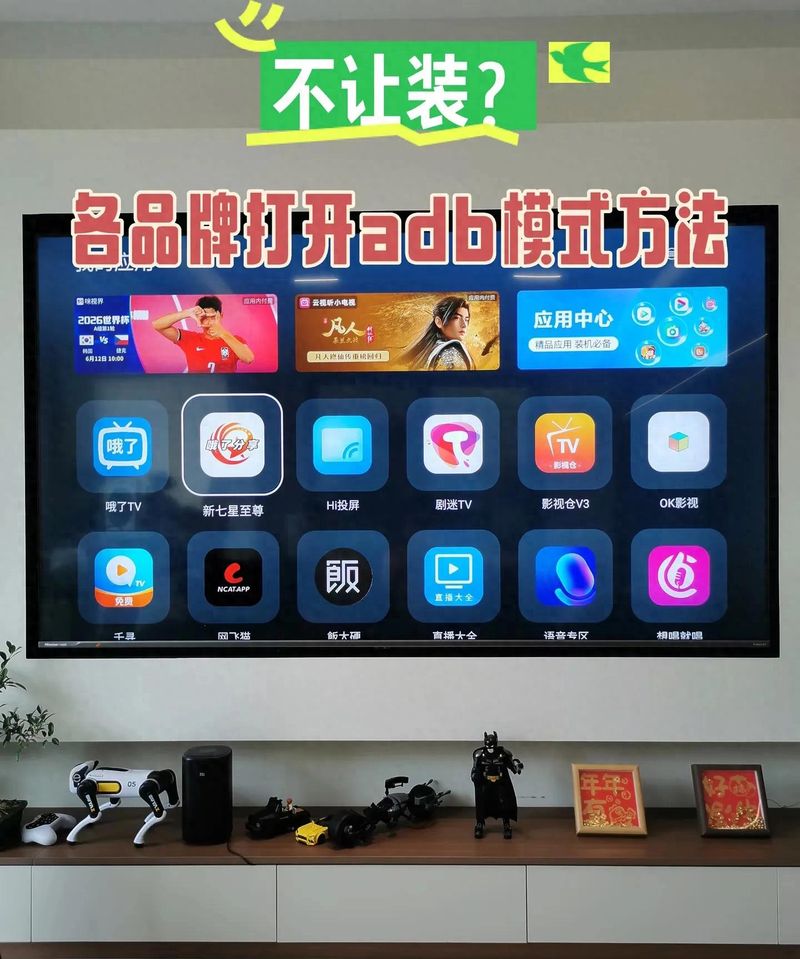
It's a universal solution for all brands
Almost four years of digital testing, there are daily restrictions on the ability of fans to express their intelligence on tv. Whether mi, haishin, tcl or wa are smart screens, the udp software is plugged in, either the pop-up risk hint is directly prohibited or the file manager cannot see the apk installation package at all。
Many believed that the disk had been damaged, that the package had not been compatible, that the replacement equipment had been in place for hours, and that it had ended up being compromised and that there had been few applications in the store on television。
The root of the problem is particularly simple, as smart televisions from all the android structures on the market will by default close off external software installation privileges. The manufacturers do so by controlling the application of ecology and reducing the number of malicious software bullet windows, and by circumventing the security concerns of the system, such as cardon and privacy leaks. It's hidden deep and ordinary users can't find access。
Today, we have a whole set of hands-on lessons, which are operated by remote control only, without a computer brush, without complex codes, covering the mainstream television in recent years, both new and old, and which are all measured to be effective. When you do not have to ask for help, you can unlock the installation restrictions at home。
I. Two core reasons for a television intercept kit
Many online tutorials throw out operational steps when they come in, without a bottom-up logic, and you're in a state of shock when you meet a bullet window. I'll start by explaining the rationale, and then i'll be able to check everything that goes wrong。
1. Security access lock, default shield external installation
The bottom of the smart television system and andre mobile phones are a logic that, in the interest of safety, directly locks out the installation channel for unknown sources。
The software in the television store is fully cleared by the manufacturer, and there are no procedures to bind advertising and to steal traffic from the back; while the source of the external installation packages for diskettes and wireless transmissions is messy, the system automatically determines that there is a risk of direct interception。
I've been doing this for a week, and i can see the difference:
Downloading software from the store: full access, one second identification of installation packages, 0 per cent interception probability
U-disk installation (not open access): system direct blocking of files, completely unreadable, 100% interception probability
The u-disk installation (after unlocking dual permissions): normal scanning recognition, very few old systems that play window alarms, less than 5% interception probability
2. New tv adds the developer's hidden lock, double protection
The new television, which came out after 2024, was far from sufficient to open up unknown sources. The vendor has upgraded the security mechanism to hide the file reading and writing, the device debugging, and this page is hidden by default and needs a manual trigger to be displayed。
Old televisions need only turn on a security switch to install the software; new tvs must open both the "unknown source application installation" and the "usb debugging" switches, and the absence of one will fail, which is the key reason why 90% of users fail。
The wrong way to hide from the web
I've seen a lot of short videos, and i've seen them all
1. Formatting of disks allows software to be installed: it only affects access to documents and does not solve the problem of system access interception, which is totally misleading
2. Downloading cracking tools bypass restrictions: they bind a large number of advertising windows and, in part, steal home wifi passwords, with high privacy risks, which are strongly discouraged。
Ii. A brand-wide generic lock-out core step with individual machine-specific details
The operation was divided into three main stages: the withdrawal of the developer model, the opening of two key privileges, and the installation of the disk software. I've marked the remote button at every step, and older friends can read it。
Step 1: access to in-house information, activate developer mode
1. The remote controls return to the television desktop by the home page key, find the [sets] of the right upper gear shape and enter by the confirmation key
2. Set a slide to the bottom of the page and select the point [for information about the machine/inner] to open
3. Pages find solid version, system version column, pacing seven consecutive confirmation keys
Screen popup hint " developer mode is on " , representing a successful operation and returning to the top setup page。
We'll split the brands and solve the problem of finding no access
1. Rice & red rice television series
Opens the settings, finds the account number and the security classification, and at the bottom is about television options, clicking on system version seven times. There are two key points here: when the primary account number for millet is not entered, when the child mode is turned on, the click on the version number will not react, and before doing so, the youth model will be withdrawn and the usual account number will be entered. The old miui tv system portal is in the general settings and the new paragraph is integrated into the account security menu。
2. Tcl & thunderbird television
Enter settings-systems-inner info, move cursors to the software version and then press the top-down four arrows, then quickly pull out the developers' options without consecutive clicks; some low-formula types can be activated only five times。
3. Haishin & vidda tv
Set all settings to open, find generic settings, slide down to this machine field, and select the solidware version to confirm it seven times. After the activation is complete, the developer option will be hidden at the bottom of the general settings, and the menu will not be visible at all if it is not activated。
4. Genevieve & cool tv
Click on my application on the home page, open the settings, find about the machine, click on the product model seven times. The new cool-opening system will eject six security clearance codes, valid for ten minutes, allowing for normal debugging。
5. Huo ying & glory wisdom
Settings-systems and updates- on smart screens, seven consecutive hits on version number, active developer options, displayed directly in the system update sub-menu, location easily found。
Step 2: unable to open two essential powers
Go back to the main setup page and click on the newly unlocked [developer option], and the following two switches must be opened and the role of each switch separately detailed:
1. Unknown source application installation (core release privileges)
This switch is the key to the system's de-interception, and when grey is unable to slide on, back check if it is not out of the child mode and does not log in the equipment account. Once open, a security risk alert will pop up, a tick is always allowed and subsequent installation software will not be repeated。
2. Usb debugging/net adb debugging (document reading and writing rights)
Without this switch, the usb interface can only read pictures and video files, and the apk installation package is completely invisible. Friends who often want to send software with a mobile phone wirelessly, turn on the web-based adb debugging, and mobile phones and televisions, together with a wifi, will be able to transfer the package without a flash drive。
Step 3: udp, complete installation process
A lot of people have gone through all of their privileges and failed to install them. The problem is basically on disks and kits, and i have been able to compare the various formats to give you the best options:
1. U-disk formatting: computers plugged into disks, right-click selected formatting, file systems selected fat32; many old tvs in ntfs format fail to recognize installation packages and do not choose to use them
Downloading tv-specific installation packages: downloading television-specific versions only from official software channels and not mobile phone-end kits; installing packages directly in the u-discretion directory, not in multi-layer folders, and not scanning deep files on television
3. U-discretion television black usb2. 0 interface, which has compatibility failures in the blue usb3. 0 interface segment, giving priority to the 2. 0 interface
4. The auto-eject mobile storage alarm is activated by clicking on the video when it is inserted into the disk; the video file management is manually opened without a bullet window
5. Selected files suffixed to . Apk, remote control confirmation clicks, waiting for installation pages to be loaded, choosing to proceed with installation, to be completed in about half a minute, and the software will automatically appear in the application list。
Iii. Three through through transports, application to people
There are three ways to install software after unlocking permissions, ranging from low to high, and each one of them i have singled out for advantages and disadvantages, and you have chosen to read the rhythms, depending on your circumstances, to make it easier for you to enter the seat。
Mode i: local installation of disks, starter preference
Friends who don't know how to connect to a mobile phone and whose signals are unstable are the only brand-wide solution。
Advantages: no network dependence, no disconnection, all television models fit
Shortcomings: computers are required to download installation packages earlier, and back and forth of the disk is a little trouble。
Results: 55 inches of old millimetre television, 75 inches of new thunderbirds, sea correspondence projection fully compatible and 100 per cent installation success. That's the way i used the last time i put a radio on my parents' thunderbird tv。
Mode two: wireless delivery, for lazy people
Operating premise: television and mobile phones are connected to the same wifi, pre-opening the network adb debugging。
1. Cell phone downloads of the regular tv remote transferer tool
2. Opening tools automatically search television devices in the same local area network and click on connections
3. The local storage of the tv version of the kit and its delivery to television within the tool
4. A television ejection installation reminder to confirm that it is ready for completion。
Advantages: the software can be transmitted by hand without being used to backplug the disk
Disadvantages: the transmission of the old 2. 4g router is slow in the home and the bulk of the installation package is easily interrupted by cardon。
Mode iii: computer adb batch installation suitable for digital fever tom
For users who need to install multiple local players, tools and software for a one-time period, it is difficult to operate, and it is not recommended to try。
1. Computer downloads of official adb tool compression packages to depress the desktop
2. The television developer option opens the network adb and notes the settings - the television ip address on the web page
3. The computer command window enters matching codes, connects television ips, and installs a package after the successful batch import
Advantages: one-time batch installation of multiple software without manual validation
Shortcomings: basic computer operating knowledge is required, and failure to connect occurs when the code is lost。
Iv. Hf error-proofing guidelines, article by article
This is part of the common malfunctions that i have measured from more than 20 televisions, the cause of the fragmentation, and the problems that you encounter are directly addressed, saving time for repeated debugging。
Pocket 1: full access. The flash drive is still not visible
Reason i: ucd format ntfs, old television system incompatible; resolution: computer reformatted to fat32
Reason ii: install packages inside multiple layers of folders; resolve: drag directly to the ucd directory without creating a new folder repository
Reason iii: poor access to the usb interface and damage to the interface; solution: replacement of the black usb 2. 0 interface on the other side of the television。
Pipe avoidance 2: error by clicking on install package hint
Reason i: cell phones have been downloaded for apk, which does not fit television screens, remote control operation logic; solution: re-download installation packages marked for tv versions
(b) reason ii: failure to download the intermediate network and damage to installation packages; solution: re-download to the official software channel instead of using a third-party diversion link
Reason three: television system solid version too low to support new version of software; solution: turn on television settings and upgrade the latest system。
Pocket 3: unable to activate developer mode by continuously clicking on version number
Reason one: to open the adolescent/child model and lock the system into debugging; to address: to enter a password to exit the child mode and close all restrictions
Reason ii: equipment is in the status of visitor log-in and is not registered on the brand master account; resolution: log-in of the personal television account
Reason three: the stopover of hits is too long, less than seven times; it is resolved: seven clicks without interruption at a flat speed, and do not let go。
Pocket 4: unable to open when software installation is completed
Reason one: only 2g of the memory of the television operation, with insufficient hardware performance; solution: unloading of idle pre-loading software and restarting of television after cleaning the system cache
Reason ii: poor third-party software optimization and lack of suitable television chips; solution: replacement of low-end installation packages for ageing equipment
Reason iii: long-term start of the adb debugging, with the backstage absorbing significant resources; solution: close the u. S. B. Debugging as soon as the software is installed to improve television flow。
Pocket 5: eject safety confirmation bomb every time the software is installed window
Solutions: enable unknown application defaults to be checked for permanent release within the developers ' options; directly turn off unknown source switches and upgrade the overall security level of television when external software is not required on a daily basis。
Core secure red line. Remember
1. Installation of only a regular audio and video, screen-laying tool for the recording of wide transmissions and the non-installation of non-qualified video and video software, with a dual risk of copyright and privacy
2. Refrain from downloading an apk with unknown sources in the short video comment area, private domain discs, mostly tied to malicious advertisements and running traffic behind them
When external software installation is completed, it is imperative that the adb debugging be closed and that the long-term opening of the debugging channel increases the probability that the equipment will be hacked into the network
4. Low-priced smart television systems have no security protection and minimize the installation of external software, which can easily eject garbage advertising and steal equipment information。
V. Group use & selection proposal to increase article completion
1. Short-term rental population
Priority is given to the installation of disks without the permanent start-up of the adb debugging; the unloading of all third-party software before the lease is withdrawn, the system defaults are restored to avoid a television malfunction; only the projectors and local players need tools are installed, and no large game software is installed to avoid full memory of cardon。
2. Families with older persons and children
High frequency of installation of third-party audio software is not recommended, priority is given to the use of the official television store for compliance applications; the children's mode locking on installation rights is activated to prevent children from downloading the installed package of bound advertisements; and the television cache is regularly cleaned up every month to extend the life of the system。
3. Digital lovers, game players
You can keep the web-based adb debugging on and put together a mobile phone wireless delivery installation; you can buy new tvs running memory at 4g and above, running large video games; and you can update television system solids once a year to ensure that third-party software is perfect。
4. 2g running memory of old and prime television users
Minimizing third-party software installation, hardware performance is limited by the fact that, even if it is unlocked, multi-loading software will result in slow start-up, page-to-page switching in cardon; audio requirements can be replaced directly by a mobile phone screen instead of television storage。
Vi. A core list of full-text summaries to facilitate the preservation of the collection
1. Two main reasons for the interception of external installation packages: the default shutdown of unknown source privileges and the concealment of new television developers ' adb debugging
2. Standard unlocked three-step process: continuous click on version 7 to activate the developer mode to open unknown source +usb's double debug access to u inventory in fat32 format for the tv special installation package
3. Distinction between three types of installation: the u drive is locally suitable for beginners, the cell phone feed is suitable for lazy people, and the computer adb batch is suitable for fever friends
4. High frequency error-reporting core solution: ucd unified in fat32 format, package installed only with tv version, exit from child mode to access
5. Safe use of bottom lines: refusal to install packages from unknown sources, software installed to close the adb debugging in time to avoid privacy disclosure, copyright risk。
Interactive guidance