Hello, everyone. Here's the efficiency guide
When processing large amounts of data, we often need to extract information from id numbers, such as gender. The odd number of the 17th (second last) id number represents the male and even the female. Today, we will share several methods of extracting gender from excel based on id numbers。
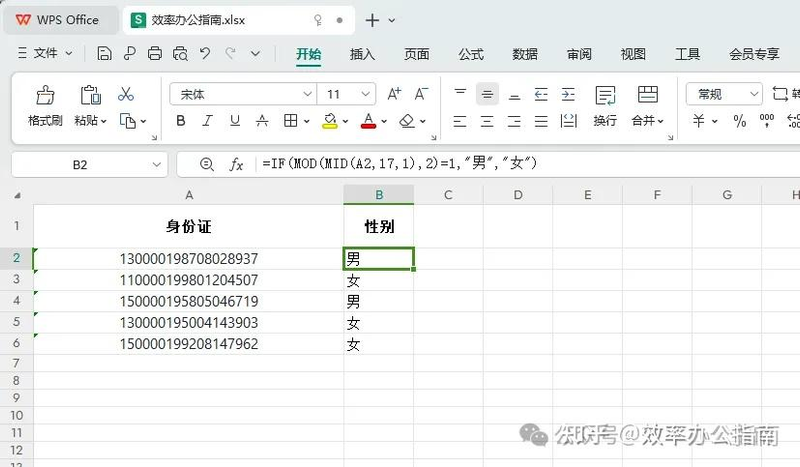
1. Use the if function as if the id number were stored in column a, starting with column a2. Enter the following formula in b2 cells: =if (mod(a2,17,1), 2) = "1", "men", "women" , drag this formula down to apply to the whole column。
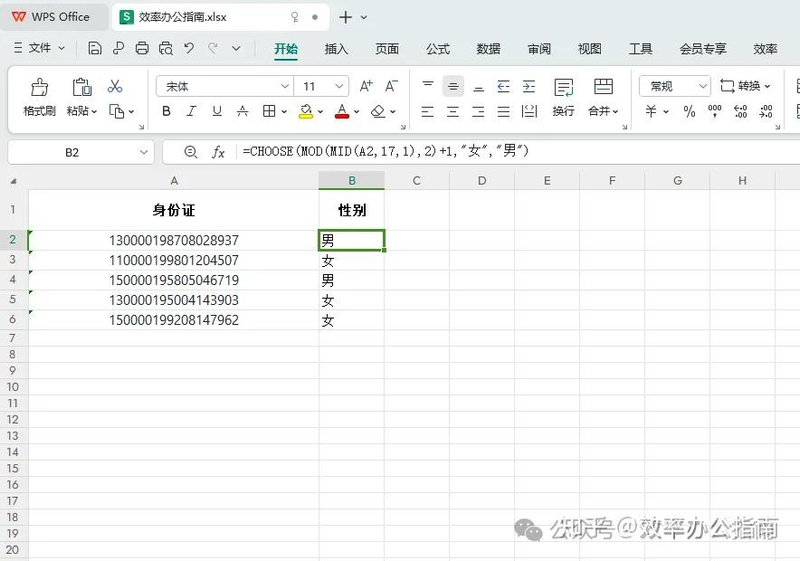
Ii. Enter the following formula in the b2 cell using text and choose: =choose (mod(mid(a2,17,1), 2)+1, "female", "male") to drag this formula down to apply to the whole column。
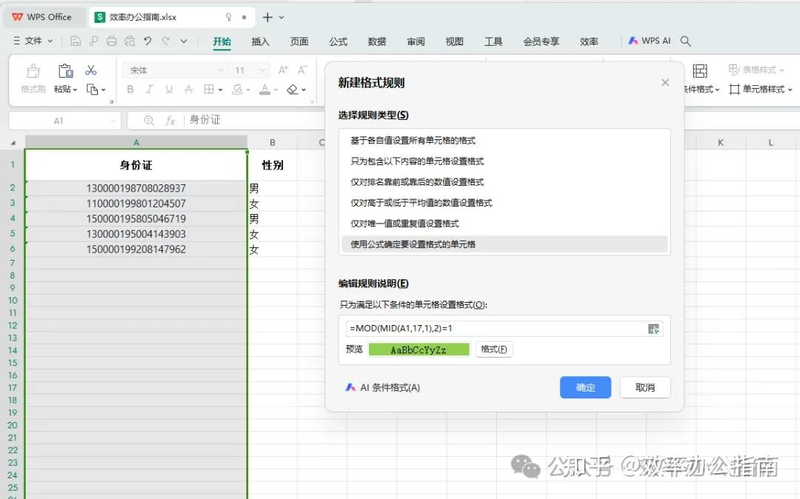
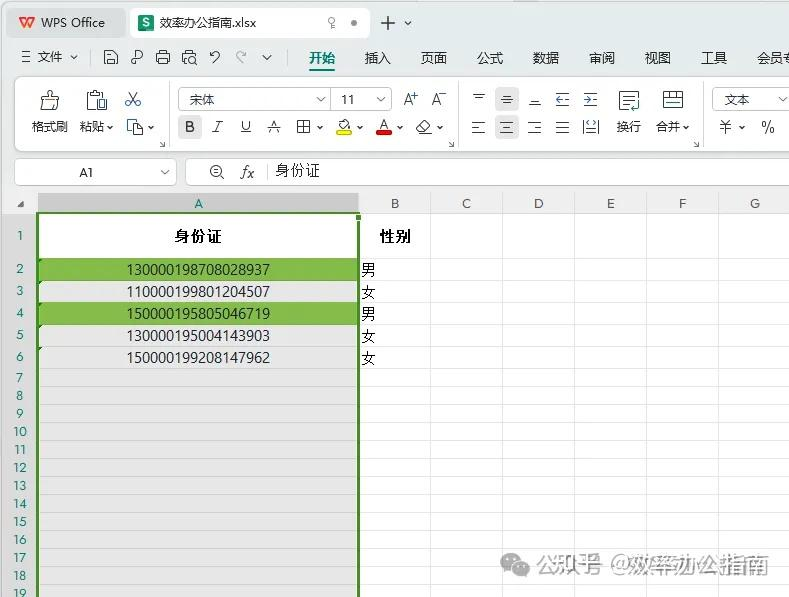
Iii. The use of conditional formats, while not directly extracting gender, can be used to highlight gender. Select the column containing the id number. Click the start tab to select the condition format. Select the new rule, and then choose " using formulae to determine the cells to set the format " . Enter a formula, e. G. = mod (mid(a1,17,1), 2) = "1", setting the format, e. G. Background colour, and then click ok。
Attention issues
A: check whether the id number is correctly entered and whether the formula is correctly applied。
A: ensure the accuracy and completeness of data, otherwise the formula may not be correctly implemented。
Concluding remarks
In these ways, you can easily extract gender information from the id number in excel. Getting these skills will make your data processing more efficient. If you have any questions or need any further help, please leave a message below and we will answer it as soon as possible。
We'll find out