Is there always a concern about the sudden red crash of the system, the loss of vital data

Take it easy, windows has the ultimate back-up feature -- creating a system image, without any third-party software, allowing the system to be c-inventory and secure

Preparations
(a) a hard disk (ntfs format) of sufficient capacity to store system images
A high-speed, stable mobile hard drive box will be installed to connect the computer。

Create system image
1, press the win+i combination, open the windows settings and search directly into the [control panel]
2. Click into [systems and security] [backup and restorations (windows 7)] [create system image]
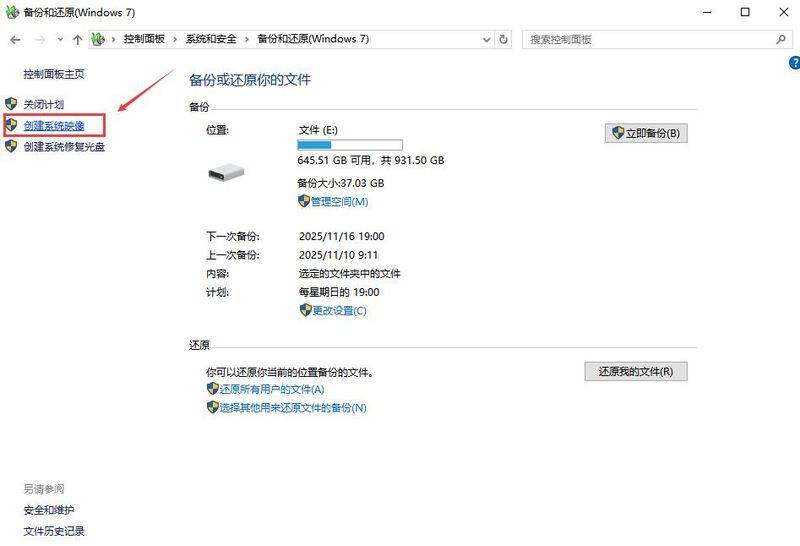
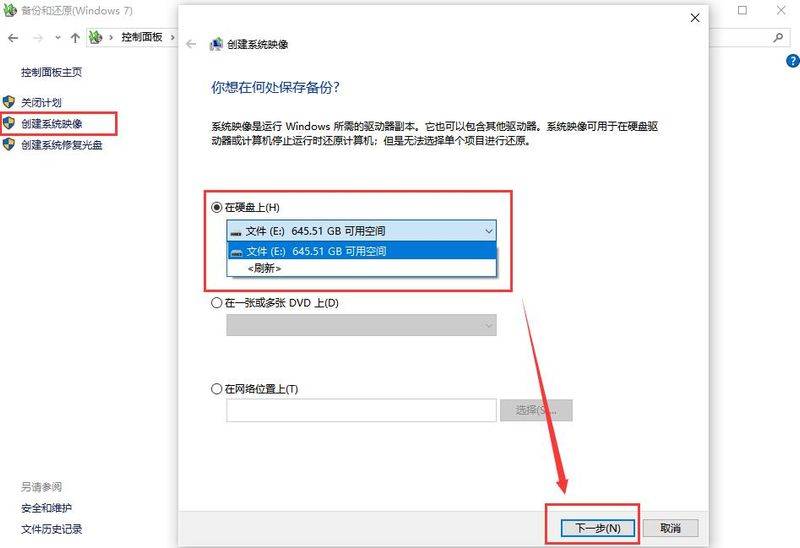
3. Select the place to save: find and select the [outside hard drive] from the drop-down menu [on hard drive], click on [the next step]
4. Confirm backup content: the system automatically ticks the c drive and all necessary partitions (e. G. Efi partitions, restoration partitions, etc.) and confirms the rear point [starts backup], then waits patiently。
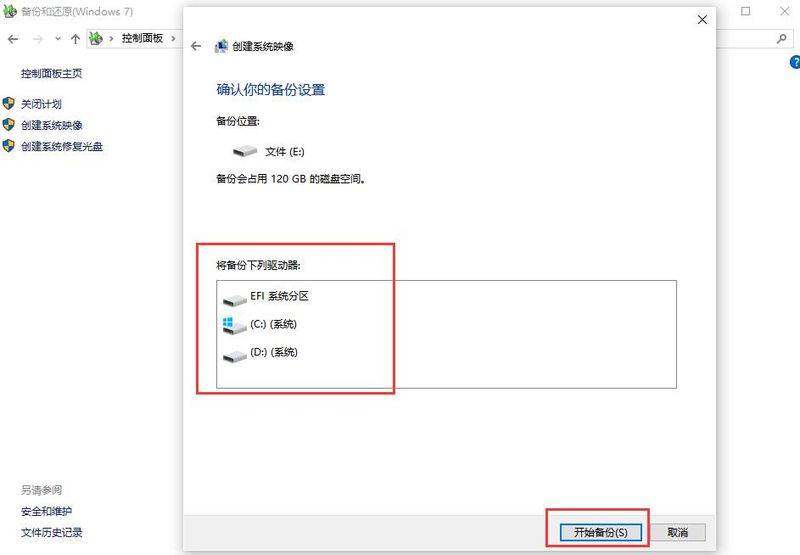
Note that during the back-up process, do not turn off the power or pull out the hard drive, otherwise the backup may fail。
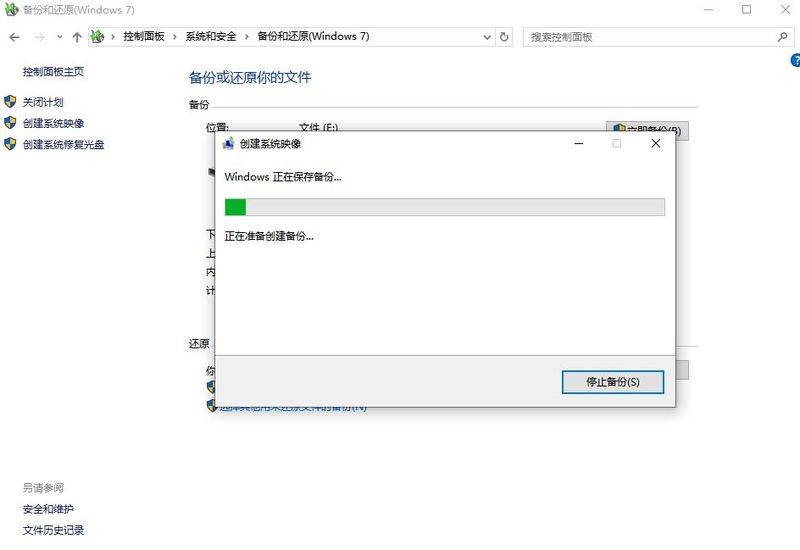
Also, creating a system image can take several minutes to hours, depending on the size of the data in your computer and the speed of the external hard drive。
Upon completion of the backup, it is strongly recommended that a start-up key, the flash drive, be prepared. And with it, even if the system completely collapses and can't be activated, we'll be able to get through the flash drive to restore the environment and restore the image that was back-up。
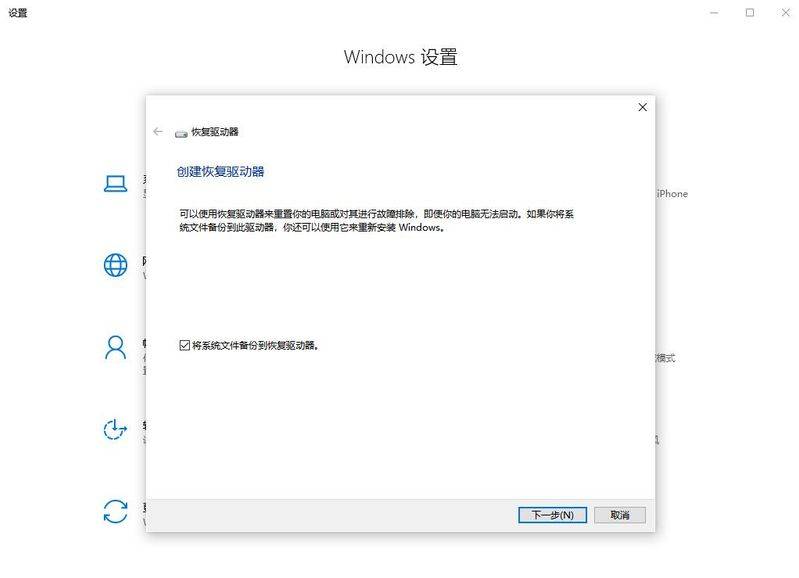
Data security is priceless! System image + restoration of disks is like pre-positioning a security policy for computers. Is the wave super-functional? Put it away for a while
All right, here we go. If you have any other backup skills or questions, we'd like to have a conversation in the comment section