Windows media player can easily write music or video files on cds or dvds. This is illustrated by the example of media player 12 in windows 7, but the other versions are essentially the same. Whether it is the production of cd-roms or home audio collections, the method is simple and efficient and suitable for daily use. A few steps to complete the cd-rom is a practical technique for managing multimedia content and is worth trying。
1. Put the music files to be written in one folder and move them to the desktop or other location to ensure that the total size of all documents does not exceed the capacity available on cd-rom。
Music files are stored in cd folders on the desktop。
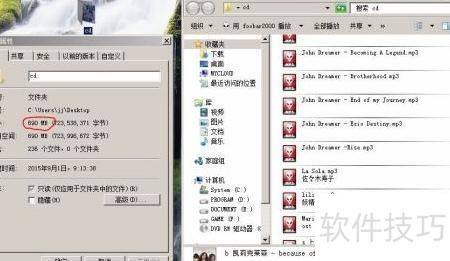
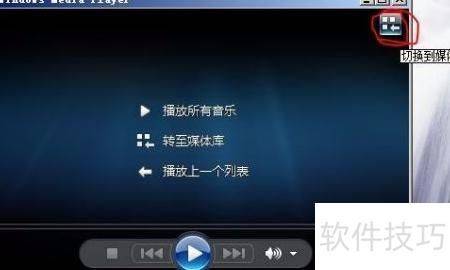
3. Once the music file is ready, windows media player 12 (other versions are similar). If the initial interface is in play mode, you can click the red loop out of the area and switch to the media library view to facilitate the management and viewing of audio content。
4. Finds the music option in the list on the left side of the media library interface. Right-click and select to manage the music library. When you enter the music library position page, click the add button, the system opens the resource manager. Position the cd folder on the desktop in the resource manager, click to select the folder, and then click to include the folder to complete the addition。
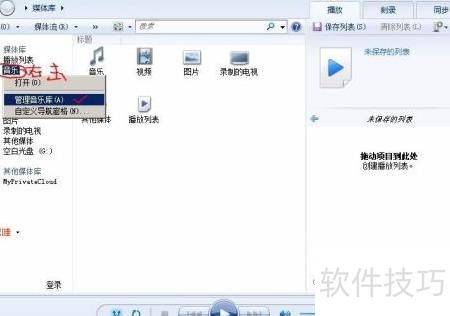
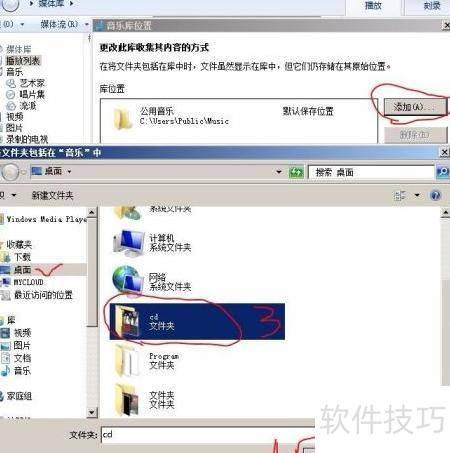
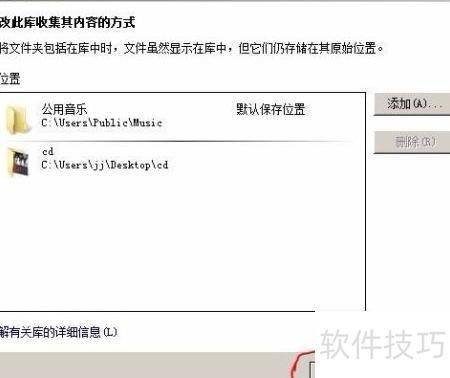
5. When added, return to the media library interface, click the left-hand music option again, and select the custom navigation pane in the pop-up menu. After entering the settings interface, find the folder entry in the list, tick the check box in front of it, and then click to make sure the settings are complete。
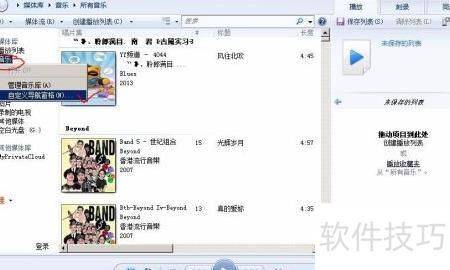
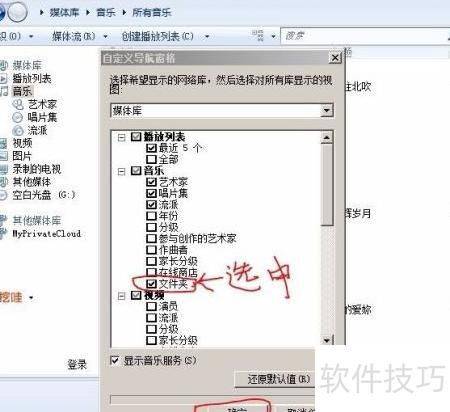
6. Check the folder options to add a new folder category to the music category. Click on this category, and the right media list shows all the contained music folders. By looking at the folder path, you can quickly identify and separate newly added cd folders and make them easier to locate and manage。
7. The operation of the blank cd-rom can be started by clicking on the burn label (blue marker) at the top right corner of the media library。
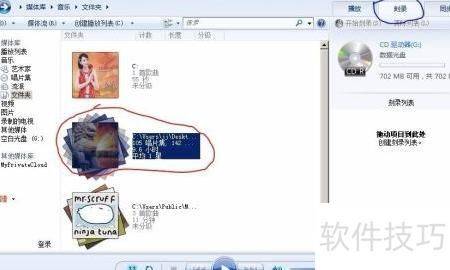
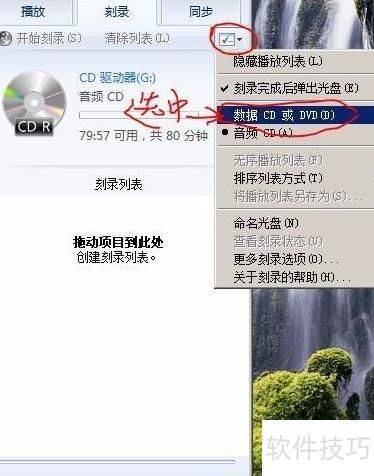
When loaded on cds, the system may by default recognize as a music cd, which needs to be changed manually to a data cd mode to ensure that the document contents are read correctly。
Click on the red circle button in the chart to select the data cd or dvd from the pop-up menu and then add the music file。
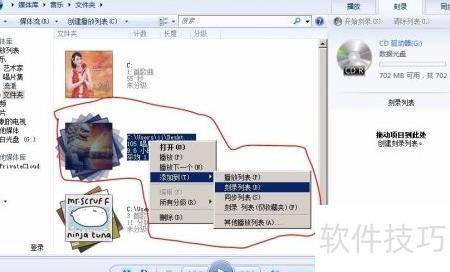
10. Right-click on the cd folder in the media library to choose to add to the burn list, where all songs are automatically added to the burn queue。
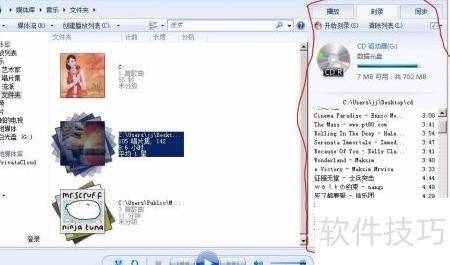
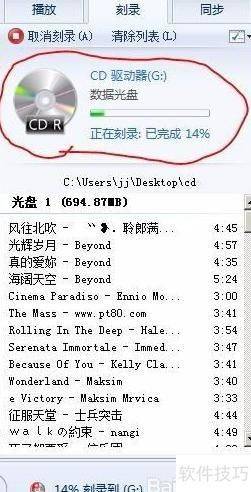
11. Click to start writing and wait for the process to be completed。
12. Once written, the cd will automatically eject and can be inserted directly into the car's audio。
13. The structure of the catalogue for post-mortem music files depends on the classification set in media player, which, if not specially organized, may appear to be confusing, but is used for on-board play, without prejudice to normal use。
Https://soft. Zol. Com. Cn/1119/11696969. HTMLsoft. Zol. Com. Cntrue <https://soft. Zol. Com. Cn/1119/11696969. HTMLreport1730windows media player > . This is illustrated by the example of media player 12 in windows 7, but the other versions are essentially the same. Whether it is the production of cd-roms or home audio collections, the method is simple and efficient and suitable for daily use. Just a few steps to finish the cd.