The vmware virtual machine (vmware) can simulate the operation of a variety of operating systems on a computer, including reading the ucd connection network, and many users want to install the win7 system to vmware using a flash drive, without knowing where to proceed. To this end, the mini-coding will bring to you the following method of using the vmmware virtual machine to install the win7 system。
I. Preparation tool 1, installation of vmware virtual machine 122, 4g or more disks, production of ucd pe launch 3 and gost wing 7 systems: w07, 64 flagship versions, ii, vmware12 deployment of the gost wing 7 system on disk
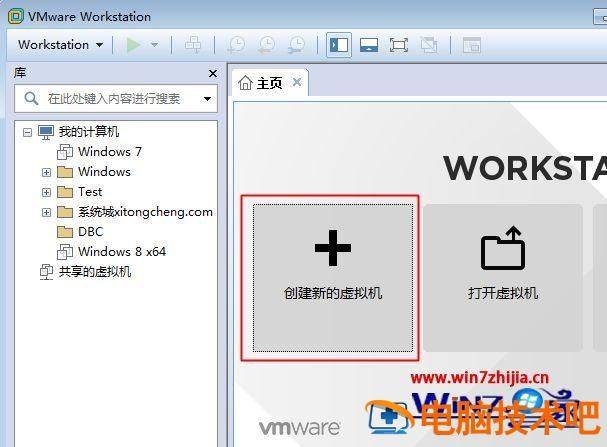
Operation of the vmware workstation 12 virtual machine by clicking on "creating a new virtual machine"
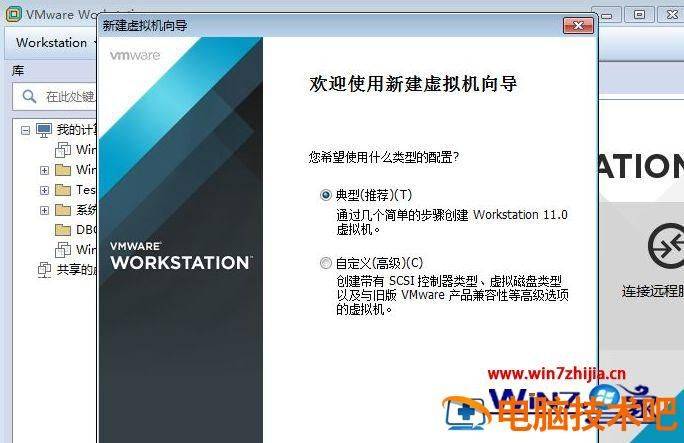
2. Opens the new virtual machine wizard and selects “typical (recommended)” the next step
3. Select “the operational system to be installed later”, next step
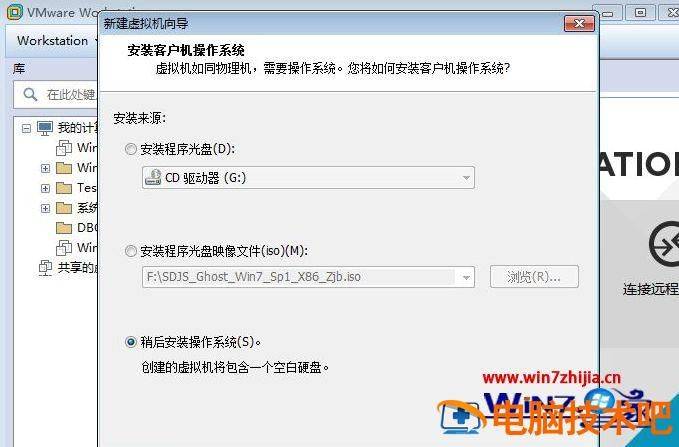
4 the client system selects microsoft windows, the version selects windows 7, and if 64 places selects windows 7 x 64

5. Name the virtual machine, select the place to save, and next, keep the other default settings, and finally click it out
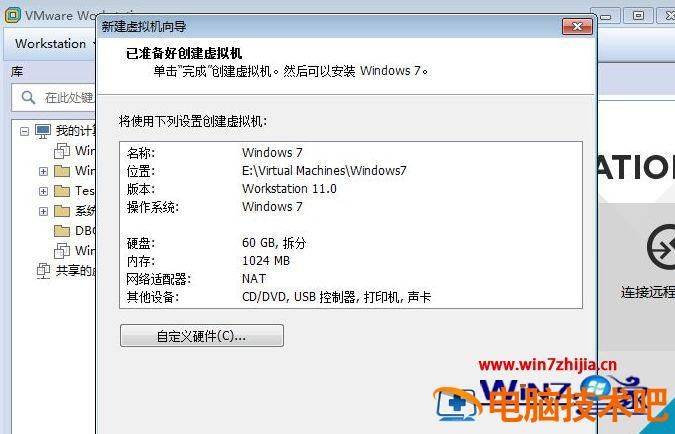
6. Turn off the virtual machine, insert a flash drive, then open the virtual machine, select the newly created virtual machine windows 7, click on the edit virtual machine settings, and click on add
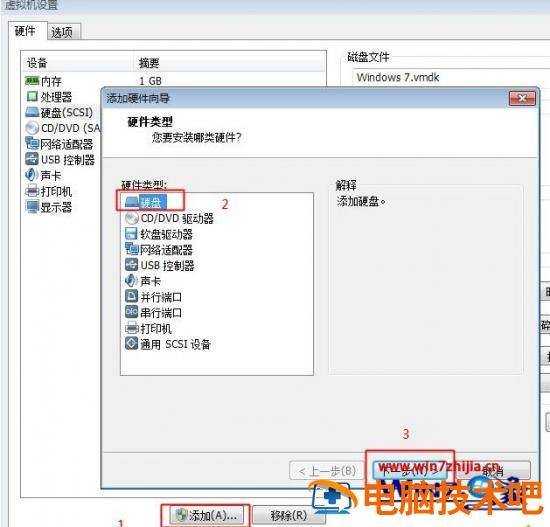
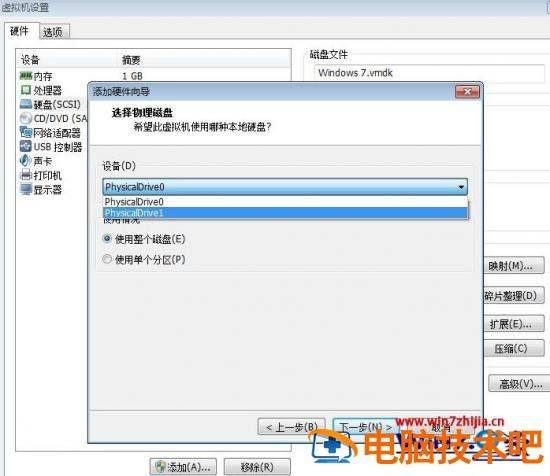
7. The hardware type selects the " hard disk " , the disk type maintains the " recommended " option and selects the " use of the physical hard disk "
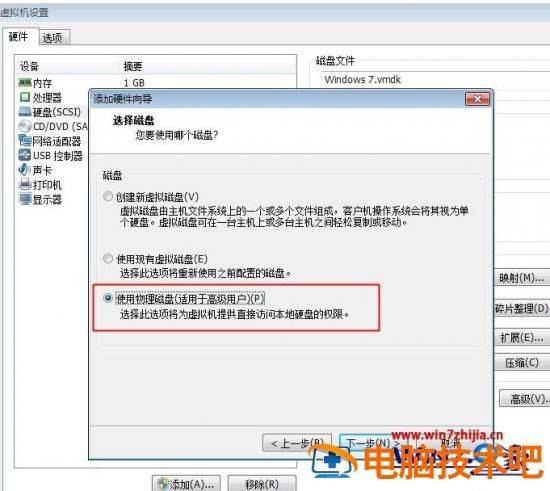
Click on the devices box to select physicaldrive1 and, next, restart virtual machines if there is no physicaldrive1
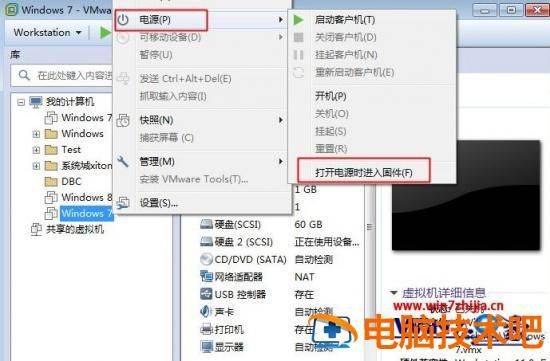
When settings are completed, right-click windows 7, select power - open power into solids
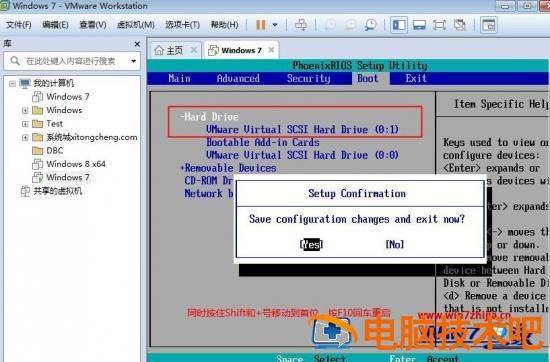
10, enter bios, press button to boot. Select hard drive, move with shift and + to first, expand hard drive, move hard drive (0:1) to first and restart with f10
11. After restart, insert a pep disk with specific operational steps to see how the uppe installation system is used in detail, and complete the installation according to the steps。
This is how the vmware virtual machine installs the win7 system with a flash drive, so that users who need it can operate according to the above methodological steps。