Anjore website of the second national network of young students for knowledge of the rule of law
Download now
Parents are reminded that the class masters are aware of the beginning of the second legal literacy examination for adolescents in the ministry of education. Direct access to online contests, online examinations, and announcements: teachers are invited to access the legal and legal knowledge network competition and search for a web-based entry of the national youth and legal literacy network of the ministry of education of the national network for the rule of law for young students (http://sstatic. Qspfw. Com/xfweb/index. HTML)。
Ministry of education, national network of young people for access to justice
You can enter the quiz through the above-mentioned web site, raise legal awareness through easy online answers, and compete for more than a quiz
Operational step 1: enter web site: https://static. Qspfw. Com/xfweb/index. HTML
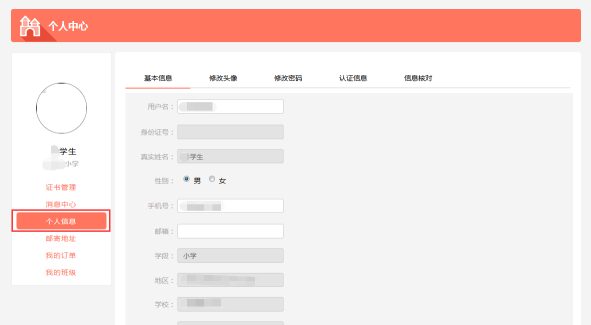
Step 1: access to the website and improvement of personal information
Students are required to log in to their personal centres using student accounts and passwords generated by school administrators (default login password: 123456) and to improve their personal information。
Note:
In order to ensure that your participation in the competition and the award are not compromised, you are requested to enter the personal information at the personal centre as soon as possible before participating in the competition。
2. If your personal account number and password information are not known, contact your school administrator at your school to obtain it。
Operating methods
Access to the home page of the ministry of education's national youth legal literacy network (www. Qspfw. Com), click on the “center of the games” menu and select the “second national network of young students for knowledge of the rule of law” button to enter the theme page of the event。
Click the " login " button above the top right of the page to enter the login page and enter the personal account number and password at the given location for login。

Upon login, enter the “personal centre” page, where personal information is improved。
Step 2: online learning and evaluation
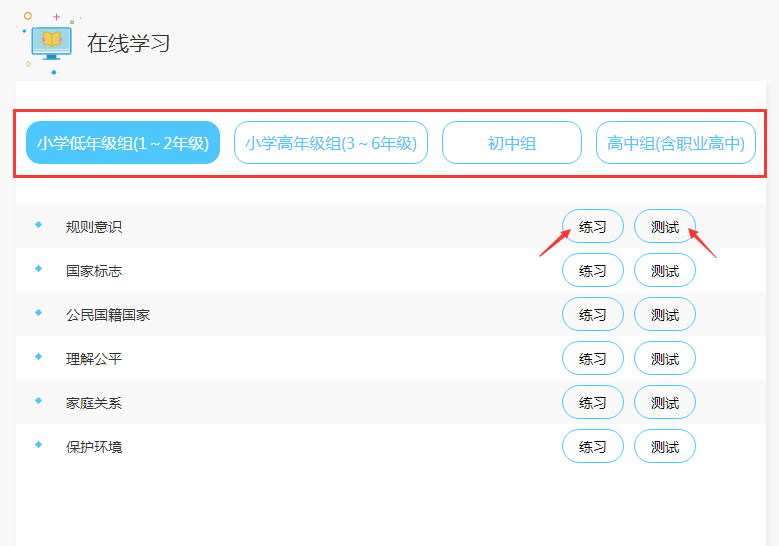
Upon completion of the personal information, students may choose their own groups for study and evaluation, depending on their school period. At the same time, the content of the different topics can be studied and evaluated in a targeted manner, taking into account the individual situation。
Operating methods
On the first page of the second national competition for young students' knowledge of the rule of law (hereinafter “the first page of the event”), click on the “online learning entrance” button or the “online learning” button at the top of the page to enter the online learning page。

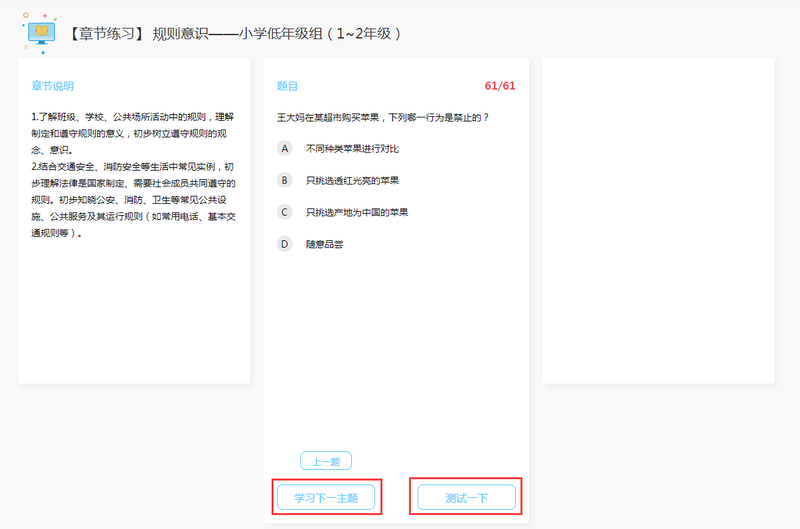
2. The selection of the respective groups is based on the student's period and, under different groups, there are a number of topics for the student to choose. After selecting one of the themes, you can learn by clicking the practice button. After completion of the study, click on the " test " button to test knowledge of the current subject, fill gaps and deepen understanding。
Note:
1. In the course of learning, the left section of the learning page describes the theme of this chapter, with the middle part being the chapter's test questions and options. Click the option to show the correct answer to the question and the resolution. Click on the previous or next button to switch the title。
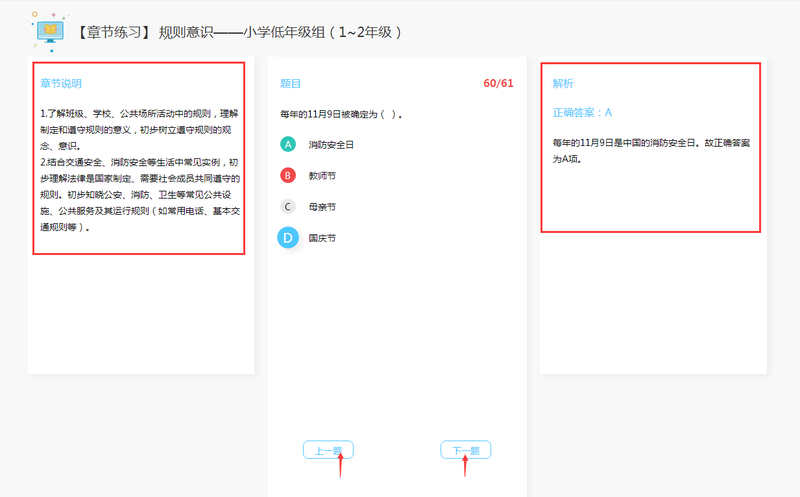
After learning about the final topic of this chapter, learning about the subject matter of the next chapter can begin by clicking directly on the “test one” button below the subject matter of the chapter, testing the knowledge content of the subject matter of this chapter, or by clicking on the “learning the next theme”。
Step 3: formal and simulated examinations
In order to familiarize the contestants with the examination process prior to the examination, the contest was enriched by the addition of a “simulation examination” section. Prior to the commencement of the official examination, students can undergo a mock test on the website, pre-screening the official examination and securing escorts for the successful completion of the official examination。
Operating methods
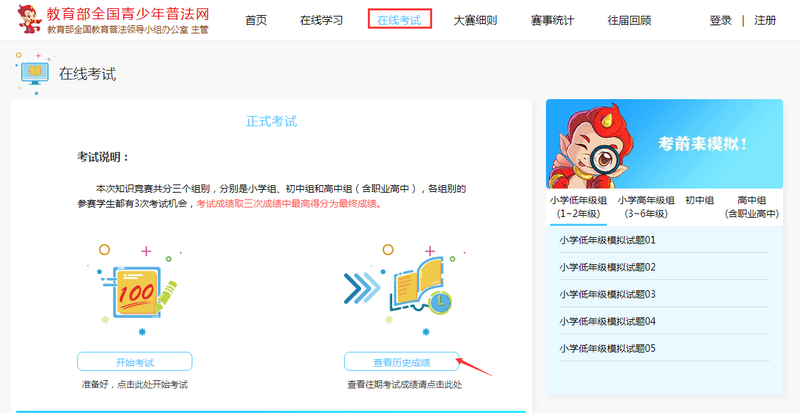
On the first page of the event, click on the “online examination entrance” button to access the “online examination” page, where the right side of the online examination page is a pre-test simulation, and the selection of different chapters allows for a mock examination. Clicking on the right side of the page is the “test description” for the official examination, and students need to read it carefully before the examination. Click on the " start the examination " button to start the examination。

Step 4: performance queries
Upon completion of the official examination, students can go to the “online examination” button at the top of the first page of the event, enter the “online examination” page, and click on the “look at historic achievements” button on the page to view the results of each examination。
Please read carefully the rules of the tournament (http://static. Qspfw. Com/xfweb/rules. HTML) before participating in the competition, wishing you the best in the competition
Question answers for clients of the ministry of education's national network for juvenile justice
What if we forget the login code
You can find it at the login page point "forget password" by registered mailbox。
What if i forget my username