For excel, many of the partners are believed to be familiar and to be used in everyday life, but can you really switch spreadsheets? Either way, let's re-learning. Excel technique
I. Basic application of the worksheet
1. Move, copy, rename, delete, label colour
When we open an excel, we see a row of tabs with names on them, with right-to-be clicks, where a few actions can be made in the title, where the copying of the sheet is special, and actually a copy is created while moving。
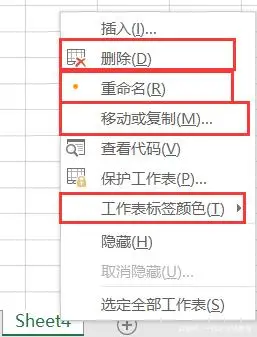
You can change your name by double-clicking
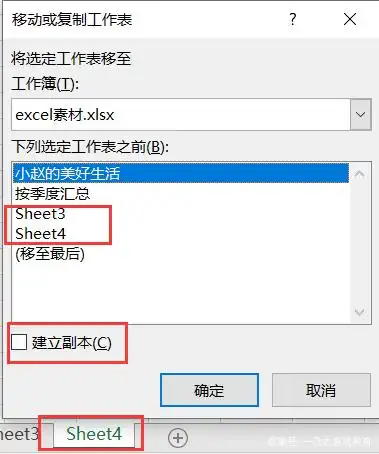
You can move to another workbook
Insert / delete
It is still the right of all. It is just right on the rows and columns. Click to insert, and it is generated in front of the selected row。
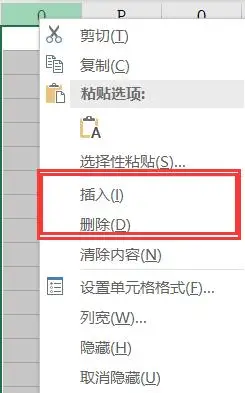
Hide rows and unhiding
The reason for this is because the lifting of the hidden is special。
Hiding is simple, it is the right-to-all button, but if you want to cancel, you have to select the two adjacent columns。
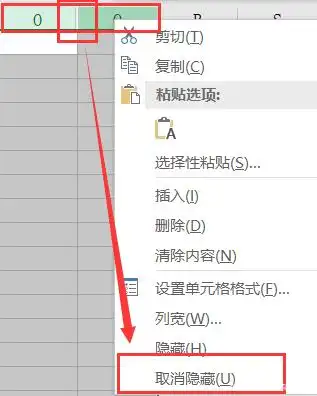
So there are two funny little questions, how can we hide all the places that are not needed in the form? If all but those parts of the table that already have content are hidden, how should we remove it? Known little partners to keep quiet, and other small partners may wish to guess that the next article will be declassified。
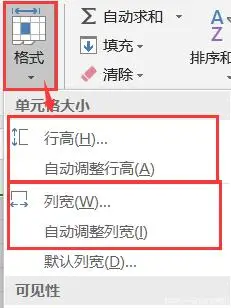
4. Resize row heights
It's really hard to find, not to hide deep, but to be forgotten. Starts to find cells in kari, selects the drop-down format, and you can see where to adjust the column width。
Ii. Cell settings
1. Line breaks and automatic line breaks
The little partners will find out that in excel, going back is no longer a change of business, but will be chosen for the next cell, and how can we achieve a change of line in a cell? Other organiser。
The shift, the manual shift, is the addition of a functional key to the return key, and the alt+ is the manual switch。
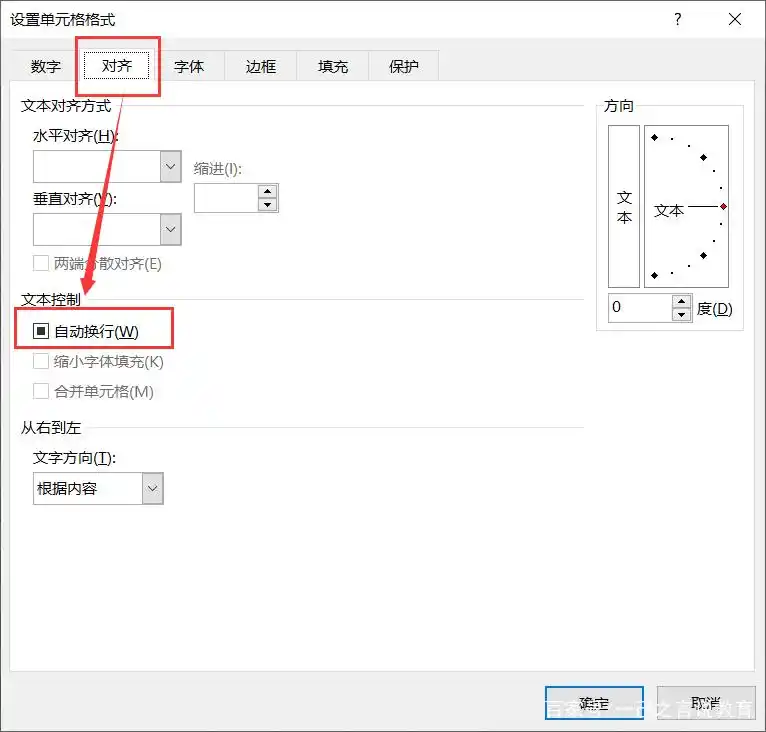
Automatic line breaks are more fun, but this is part of the cell format so we can select the cell format by right-click and the automatic line breaks in alignment。
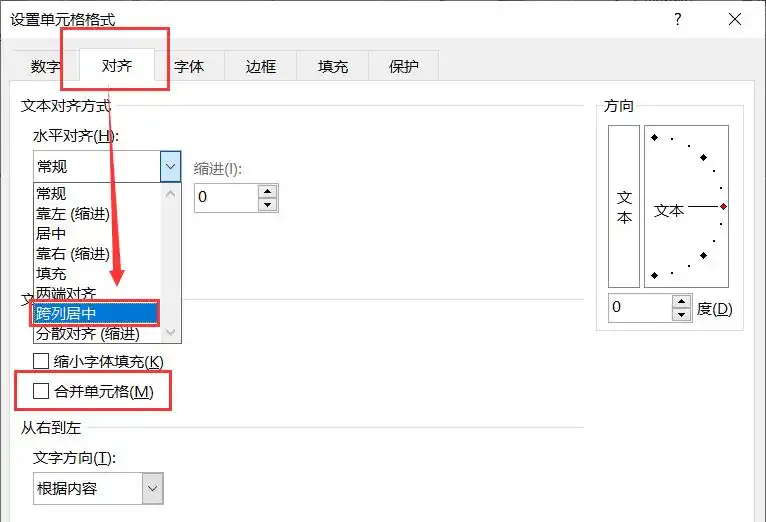
2. Combining and moving centre
Combining is more common, and it is mostly known to the small partners that the cells are merged and then aligned, but it's not the same across the rows, it's not possible to merge the cells. When you look at the chart, we have to pull down the menu to see the hidden depth。
Iii. Cell format
Format can be said to be a very interesting point in the cell, and sometimes it's wrong to choose it and it's probably never going to work again, so be careful。
Text and date formats
The text format is actually a non-changeable format, and excel initially set a normal pattern, and something like "001" doesn't come out, so we have to switch it. The date format is better understood, is it in the form of a date, and all we have to do is pay attention to the required format。
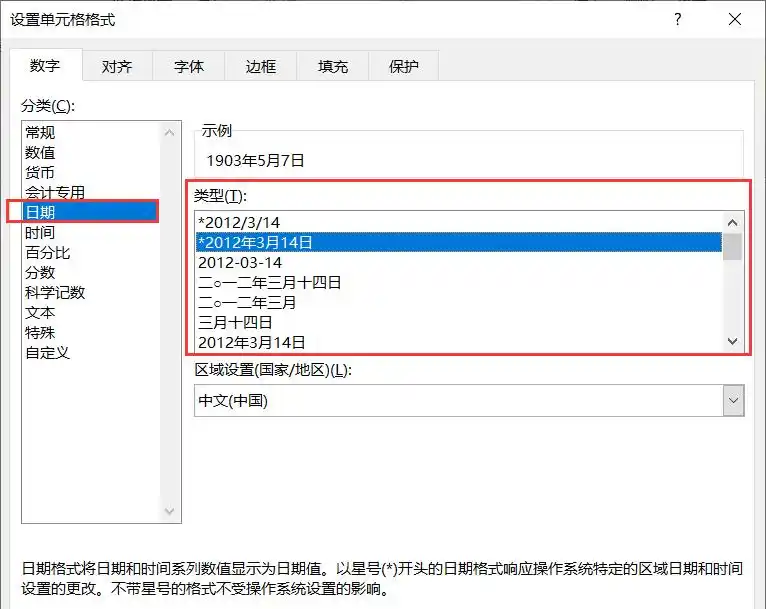
Show "001" in numerical form
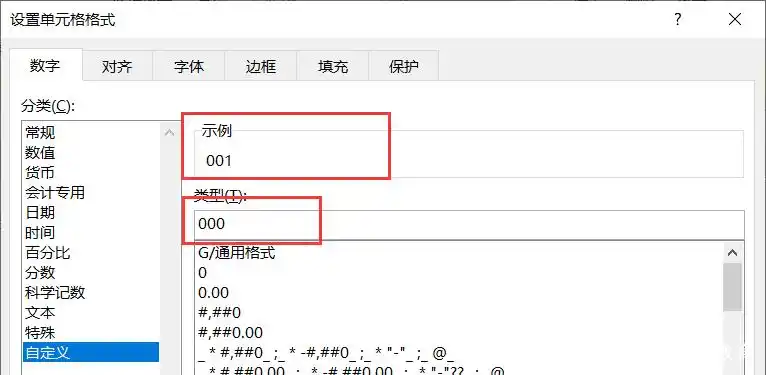
We just said that text formats can show “001”, but that's not a number, so how do we write numbers? This is going to use the custom mode. As can be seen from the figure below, we can achieve what we need by just three zeros。
3. Days after the date
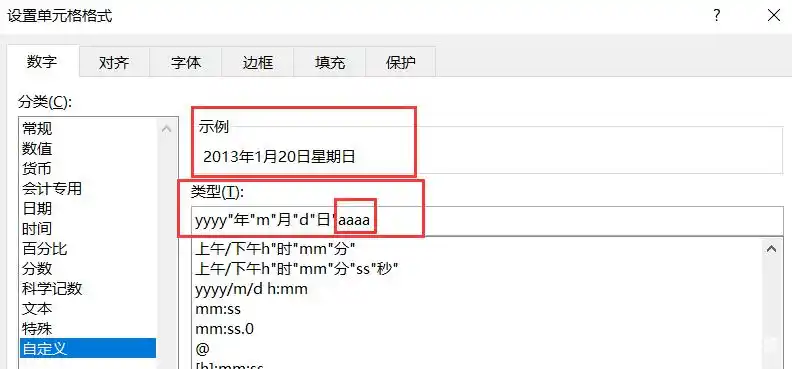
In a strange way like this, we're going to have to use a self-defined diy, open the self-defined format, select a good date, and enter four a later, as shown in the figure below。
4. Different scenarios show different results
The same is true of unusual paths, where conditions are indicated in parentheses, followed by the displays, as shown in the figure below。
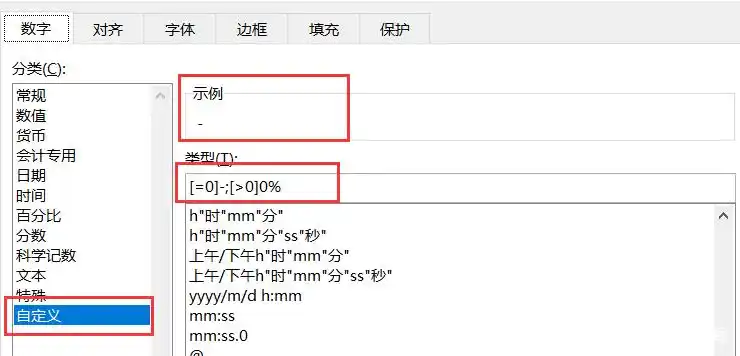
Separate by semicolon
Custom cell colours
Here, let's be careful, we're trying to show numbers, but they're dyed, not colored text, so we're going to add "; 0" at the end, which means the values themselves。
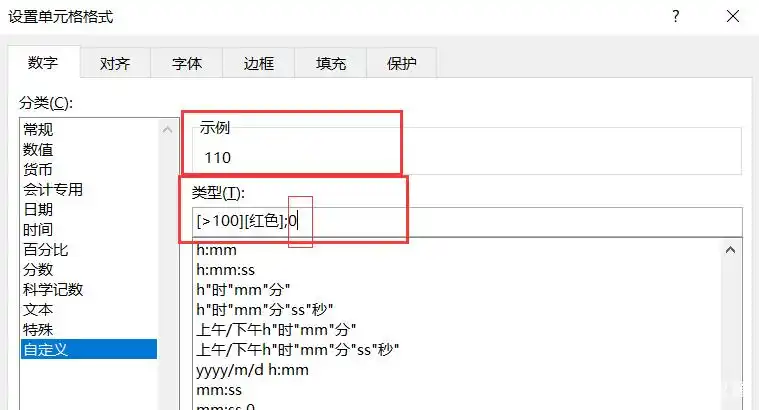
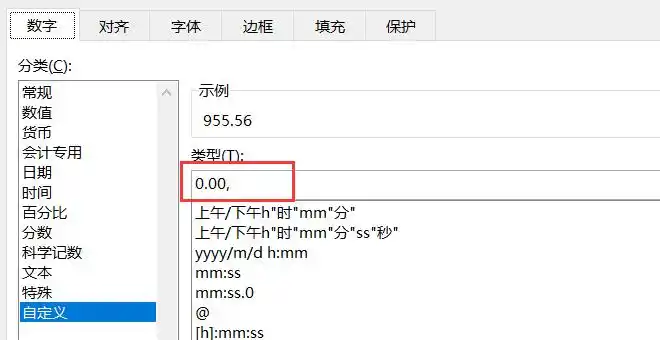
6. Reduction by 1,000 times
It's not a difficult question, but it's not gonna be a bad idea for a small partner who hasn't been contacted, but it's actually a comma that's behind the custom. Don't ask me why, i want to know. Please comment on your little partner and study together。

That's what we've been working on today, and if we can help our little partners that way, it's my greatest gain. The next article will continue to be organized and will answer today's puzzles, sort out hard, like little partners for attention, comment for interaction, bow。